Usage in Flows
Sample existing flow
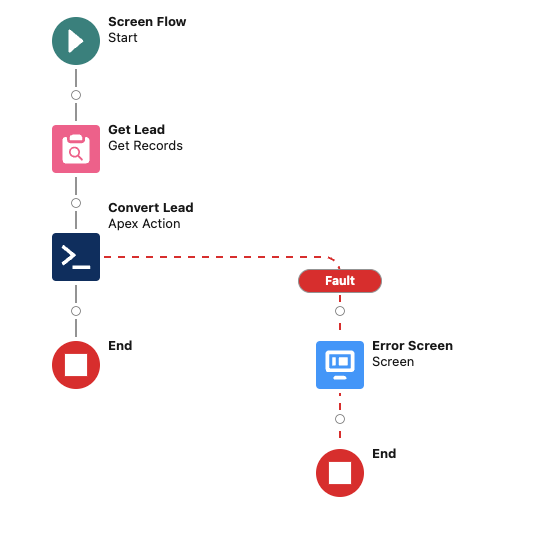
In this example, we will track issues that could occur in a custom lead conversion flow.
Your flow should already have a fault path that routes errors to a screen or message element — Sentry reporting hooks into that same path.
Adding a Sentry element
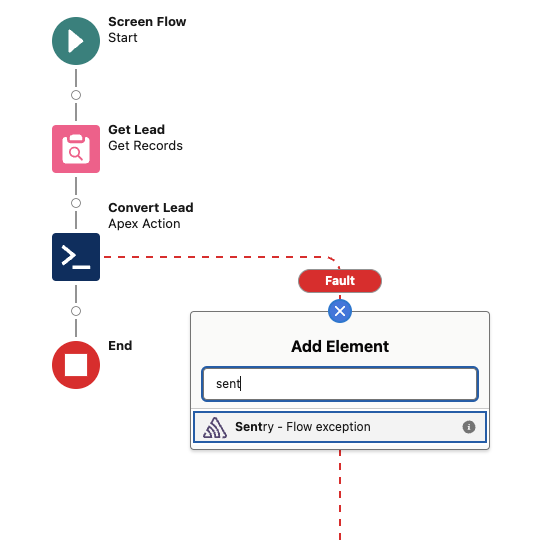
In the Flow Builder palette, search for Capture Sentry Event. Drag it onto the canvas and connect it from the fault path of any element you want to monitor.
Configuring the element
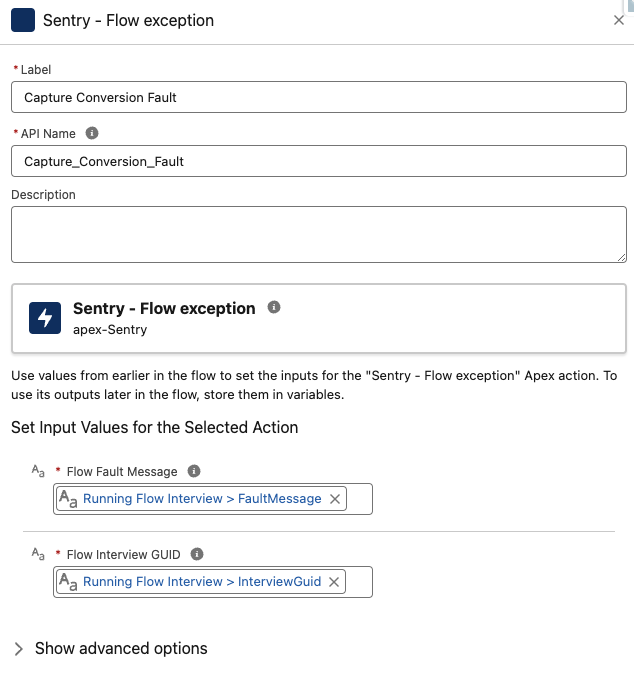
Set the Error Message input to the fault variable you want to capture (typically {!$Flow.FaultMessage}). The element will serialize the fault context and send it to Sentry automatically.
After adding the Sentry element, your fault path should look like:
- Fault connector → Sentry element (captures the error)
- Sentry element → your existing error screen / toast element (shows the error to the user)
This way, errors are both reported to Sentry and surfaced to the user.