
Installation
1. Install the managed package
For previous versions, see the Changelog.
2. Configure and instrument your project
Option A — CLI (recommended)
The @salesforce-sentry/enduser-cli CLI handles the entire setup in three commands. Run them from your SFDX project root.
Generate config files:
npx @salesforce-sentry/enduser-cli setupThis prompts for your DSN, class name, sampling rate, and integrations, then writes:
- An Apex config class extending
sentrysdk.SentryConfig - A
sentrysdk__Sentry_Config.Defaultcustom metadata record - A
Sentryremote site setting
Instrument your existing code:
npx @salesforce-sentry/enduser-cli adoptAdds Sentry.captureException() calls to Apex catch blocks and wraps LWC components with the appropriate mixin. Shows a diff for each file and prompts before applying.
Verify everything is wired up:
npx @salesforce-sentry/enduser-cli validateDeploy:
sf project deploy startOption B — Manual setup
Create a config class
Create an Apex class that extends sentrysdk.SentryConfig. All methods are optional — only override what you need.
public with sharing class MySentryConfig extends sentrysdk.SentryConfig {
  /**
   * Return the list of integrations to enable.
   * Omit this method to disable all integrations.
   */
  public override List<sentrysdk.ISentryIntegration> getIntegrations() {
    return new List<sentrysdk.ISentryIntegration>{
      new sentrysdk.SentryUserIntegration(),
      new sentrysdk.SentryStacktraceIntegration(),
      new sentrysdk.SentryFlowFaultIntegration(),
      new sentrysdk.SentryLWCErrorIntegration()
    };
  }

  /**
   * Return a callback to inspect or modify an event before it is sent.
   * Return null to send the event as-is (default).
   * Return a modified event, or throw, to discard it.
   */
  public override sentrysdk.ISentryBeforeSendCallback getBeforeSendCallback() {
    return null;
  }

  /**
   * Return a callback to inspect or discard breadcrumbs before they are attached to an event.
   * Return null to keep all breadcrumbs (default).
   */
  public override sentrysdk.ISentryBeforeBreadcrumbCallback getBeforeBreadcrumbCallback() {
    return null;
  }
}
Set the ApexClass field on the metadata record to the name of this class (MySentryConfig in the example above). See Advanced Configuration for details on integrations and their parameters.
Add a custom metadata record
In Setup, search for Custom Metadata Types.
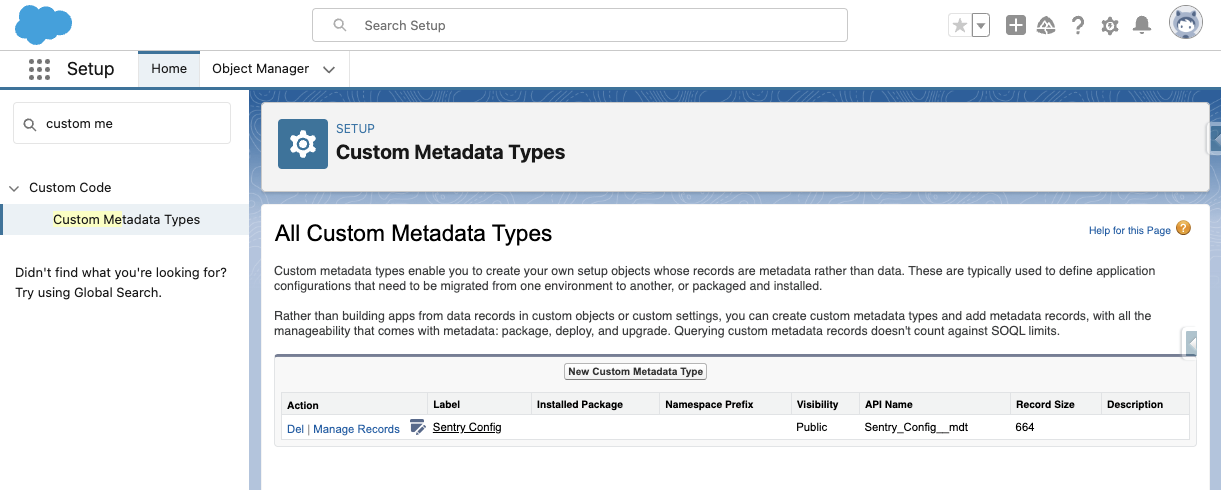
Click Manage Records next to Sentry Config, then New.
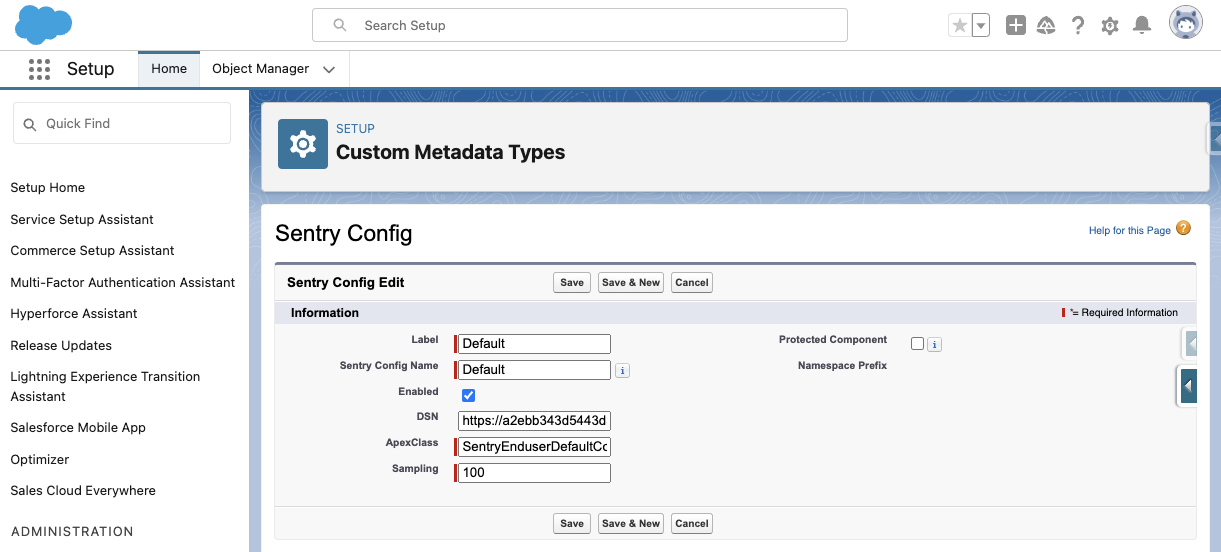
- Only one record should be active at a time
- DSN — your Sentry project DSN
- ApexClass — a class extending
sentrysdk.SentryConfig;SentryEnduserDefaultConfigis provided as a default - Sampling — 0 to 100
Add a remote site setting
In Setup, search for Remote Site Settings, then New Remote Site. Name it Sentry. For URL, use the host part of your DSN:
| DSN | Remote Site URL |
|---|---|
https://abc123@o123456.ingest.sentry.io/789 | https://o123456.ingest.sentry.io |